
How can I use error category settings?
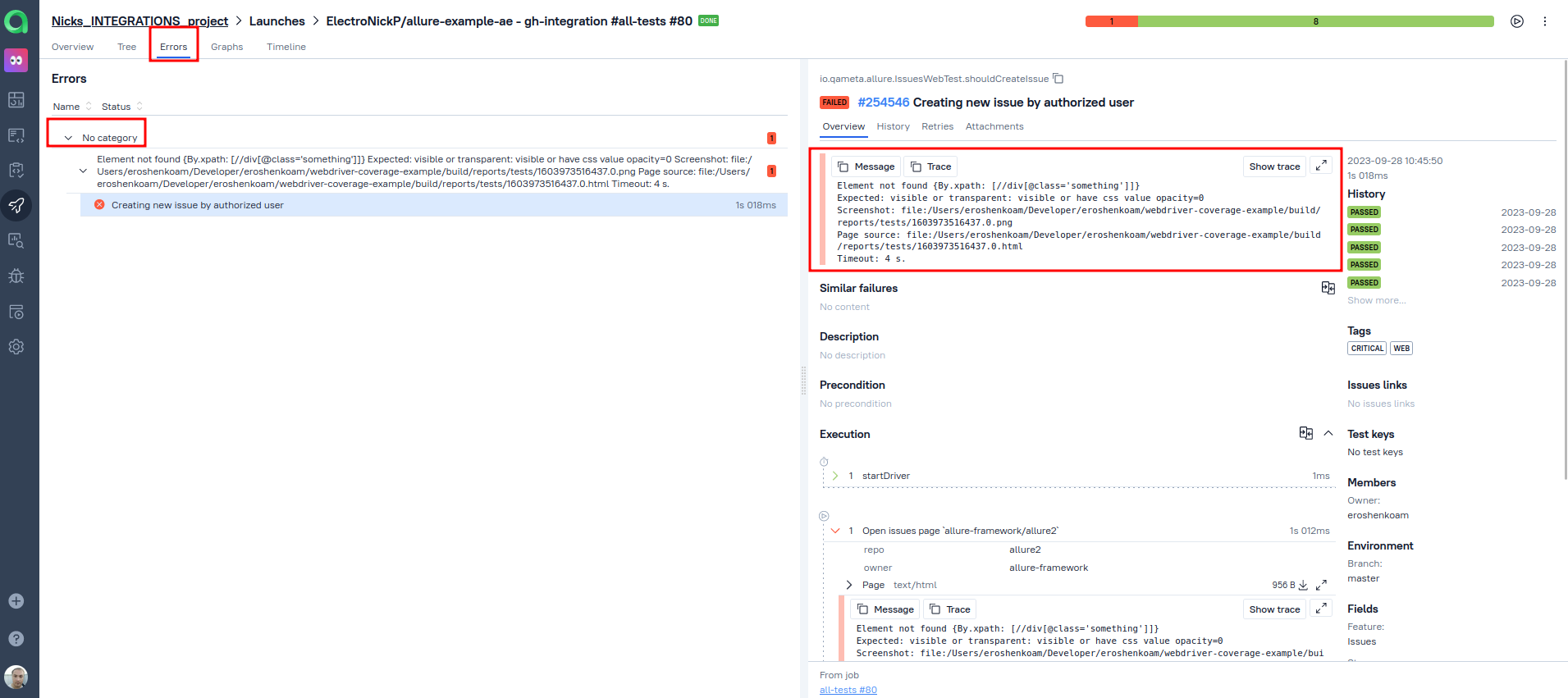
Error category settings are designed to allow you to easily group uploaded non-successful test results in scope of a launch by their error type. The type of the error is set by you using the created error category.
For example, we have a test result for a failed test with a distinctive error message, and we want to see all test resulst that have failed dut to the same reason with the same error message which coiuld ease the fin ding of the root cause or the scale of the issue caused the error.
In the project settings page, in the Error categories tab we need to create a new error category and automate it using a regexp to match and link to the test results that are failing due to the same root cause.
Categories can be defined on instance level as well as on a project level.
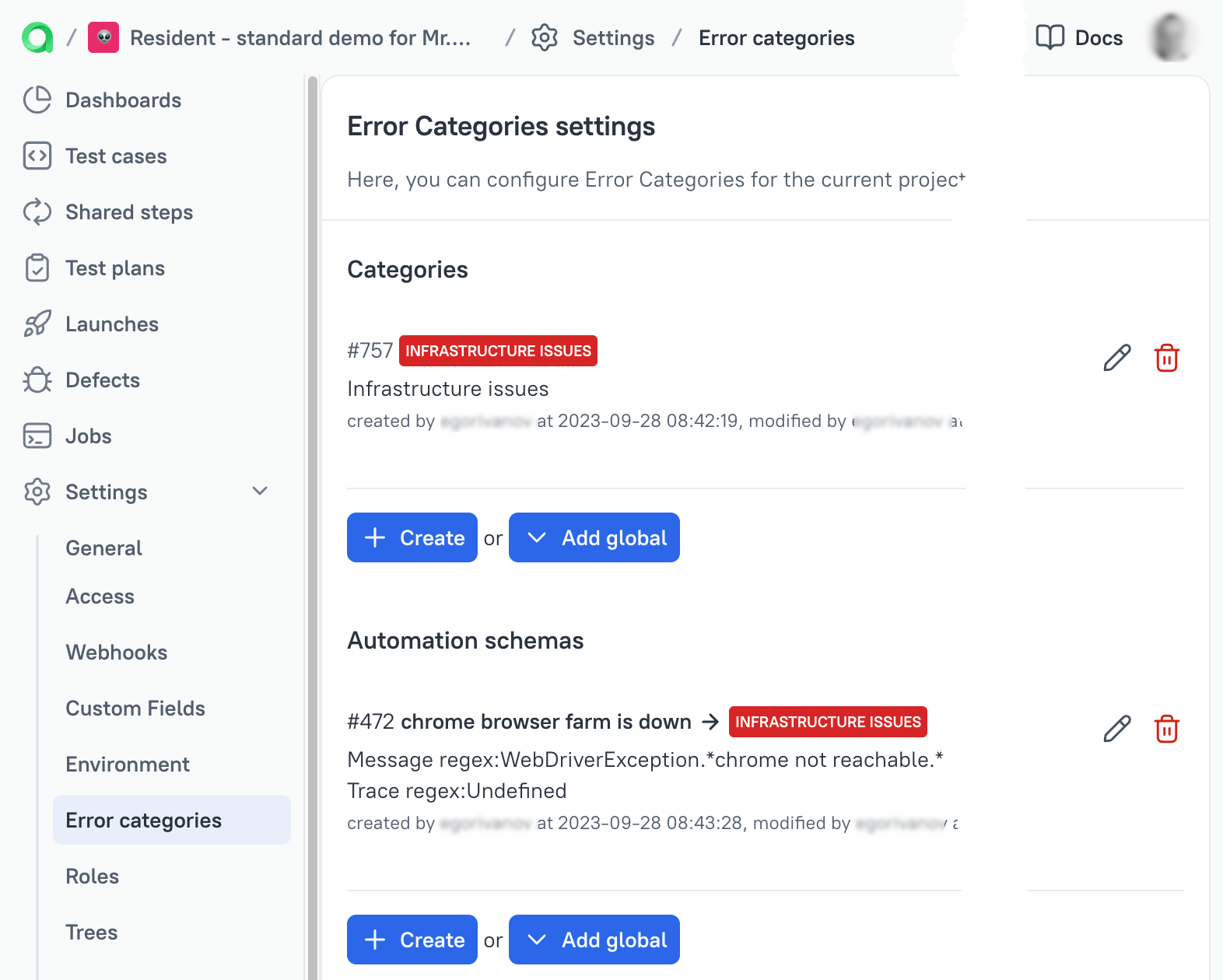
Then after the creation of a category, we need to create the matching rule.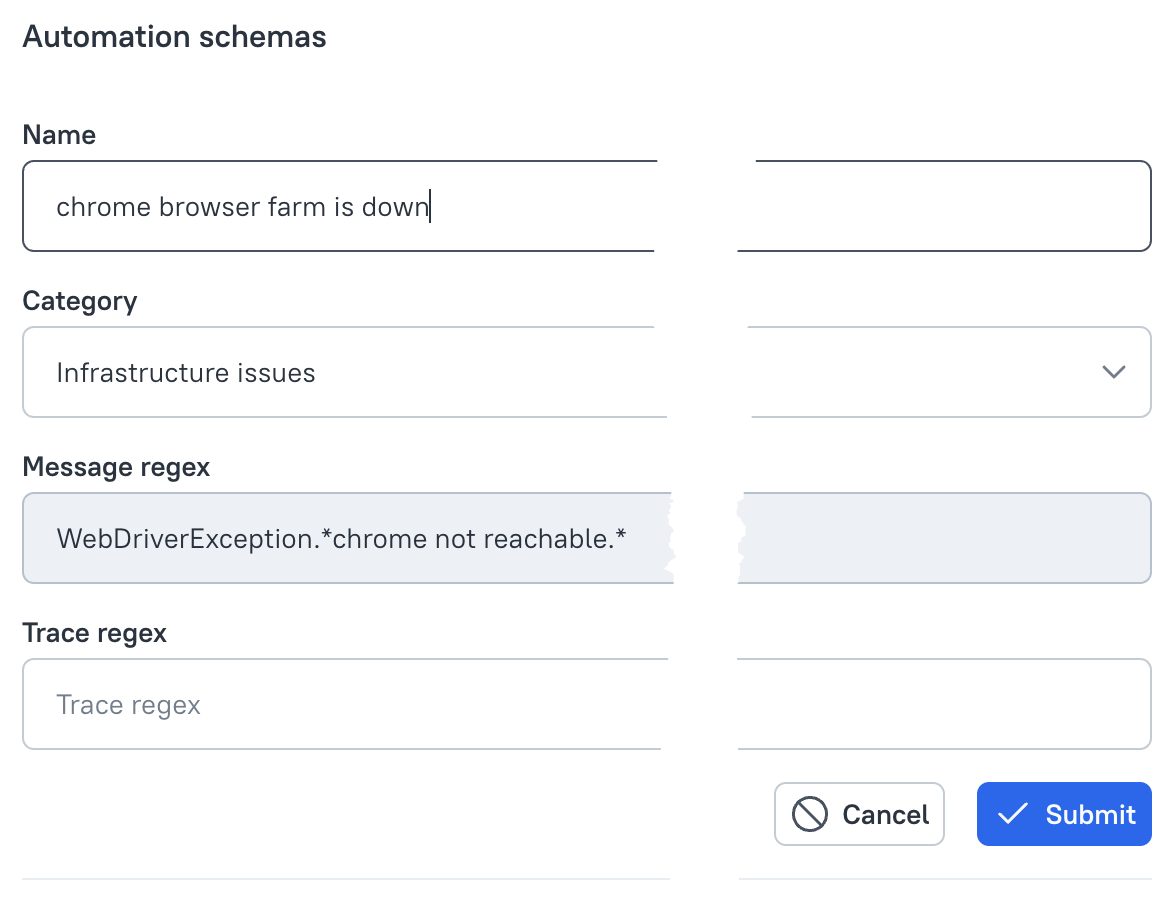
We use regular expressions with Java flavour to find the matching errors. There is nothing new in our code, just pure Java regex.
General recommendation here is to use the simplest possible regular expression to match the error message and check it with a regexp service like regex101.com using Java flavour.
If the regexp is created correctly, then in the following launches the test results will pass through the automation rule and if the specified text is found, it will be assigned the relevant error category.
In the scope of a launch you will find the list of matched erorrs in the errors tab (1)
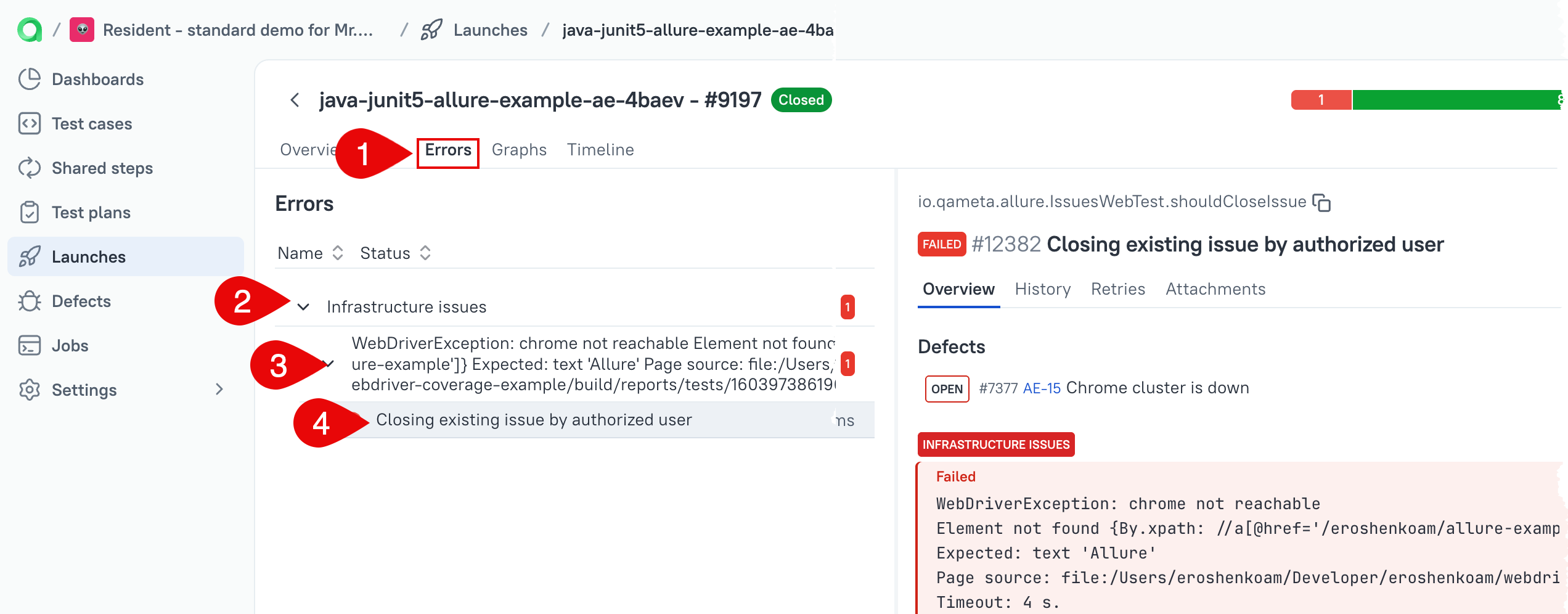
The failures will be grouped under the matching category (2), followed by the matched errror message (3) and list of the test cases (4) that fit the matching criteria.