How do I get the release ID of Allure TestOps instance?
There are couple of options to gather the information on Allure TestOps release.
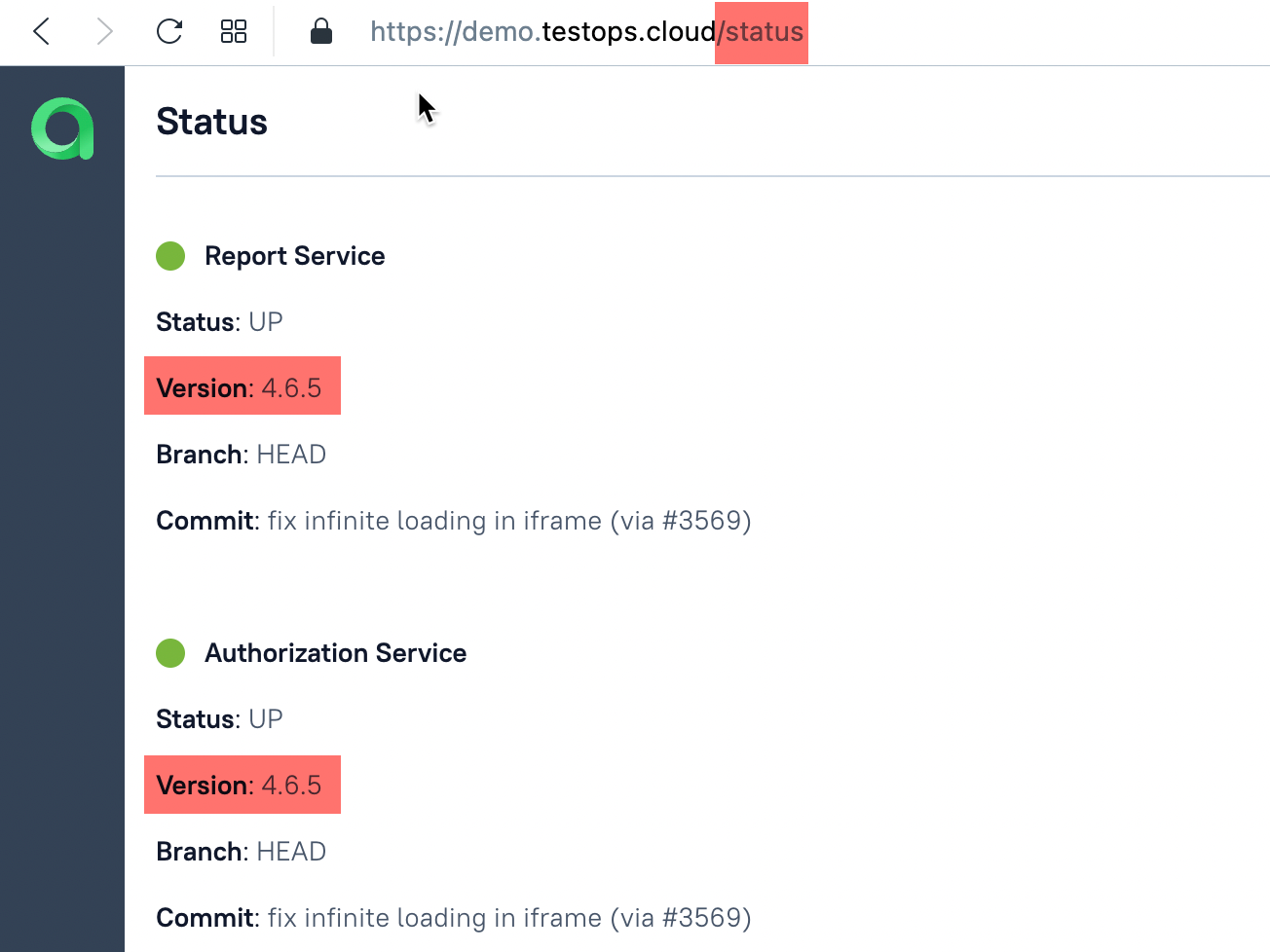
- You can access `{TESTOPS-INSTANCE-URL}/status` page of your Allure TestOps instance.
- page's address (/status part) needs to be entered manually in the address bar of your browser.
- this option works for all Allure TestOps releases.
- this will look like in the picture below
- You can check the configuration files
- Only the people maintaining the deploy can do that.
Releases of Allure TestOps after 4.2.2
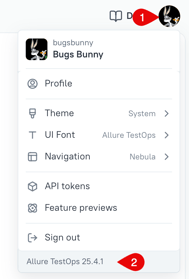
After the release 4.2.2 (see the release notes here ) the data about Allure TestOps release is available in the UI:
- In the upper right corner clik your user menu.
- Cehck the release at the bottom of the menu.