
How to create a manual test case
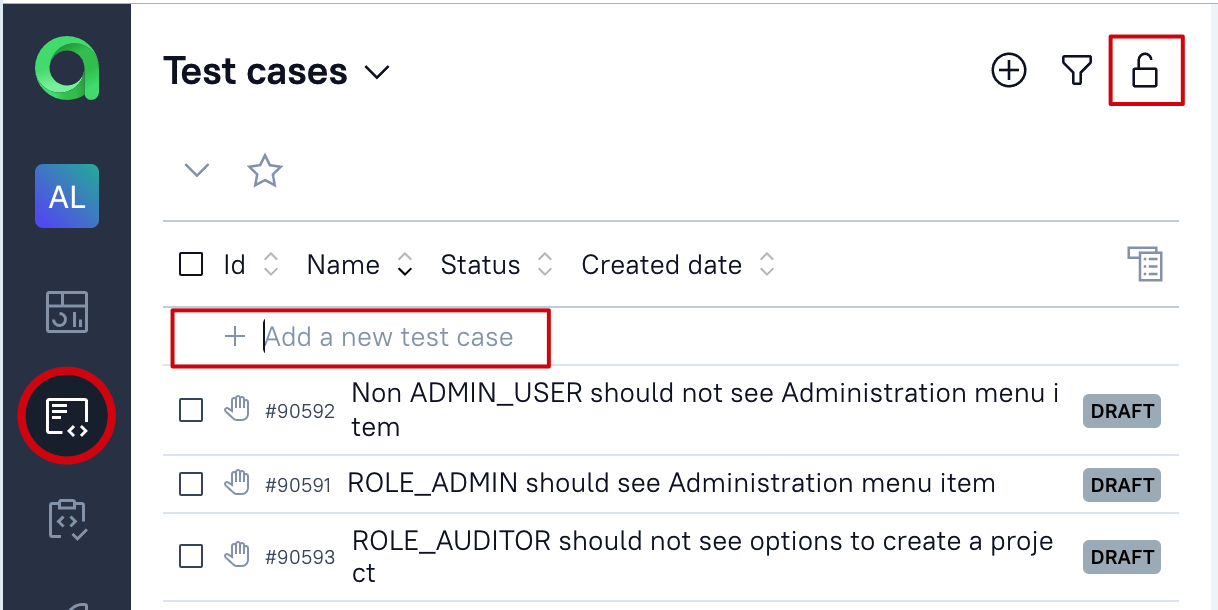
- Open test cases section
- Click ion the lock icon to unlock the tree
- Type test case's name in '+ Add new test case' text field
- Hit Enter key
If you are using new experimental test cases tree, then the scenario will be the following.
- Click +Test case floating button (at the bottom of the list)
- Add the name for the new test case
- Hit Enter to finish the process