Test results statuses
We're using industry standard statuses for the test results as follows
- Passed,
- Failed,
- Broken,
- Skipped,
- Unknown,
- In progress
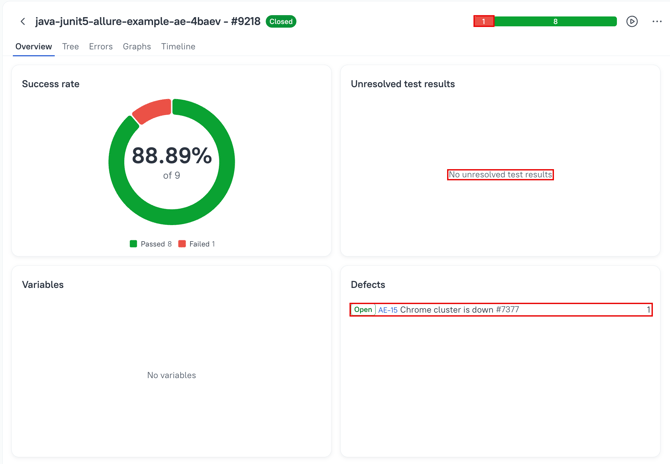
Failed means unresolved
A Failed test is Unresolved by default if some actions aren't applied to it (will be described further).
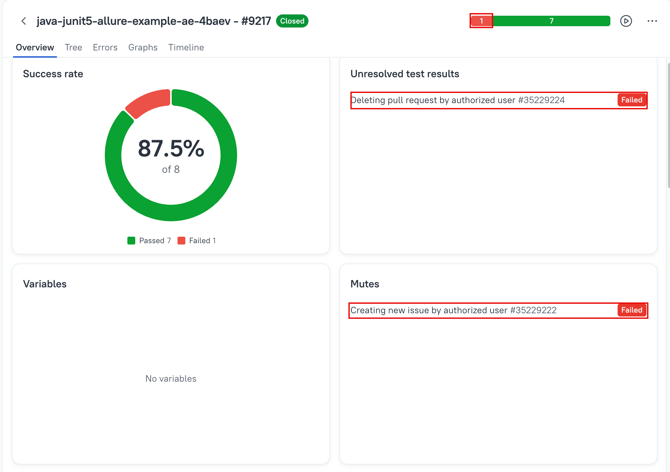
All non-passed and unresolved tests are listed in the Unresolved test reults section of each launch. The presence of a test result in this section means the failure hasn't been processed.
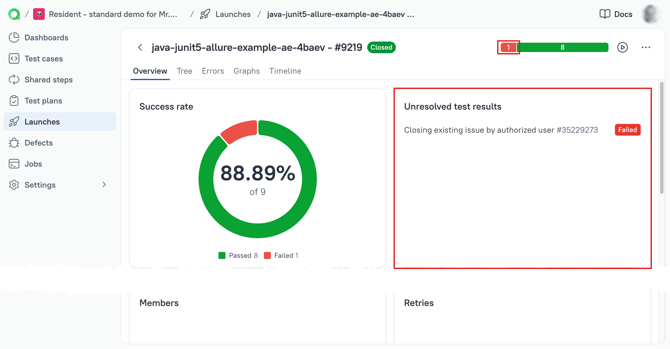
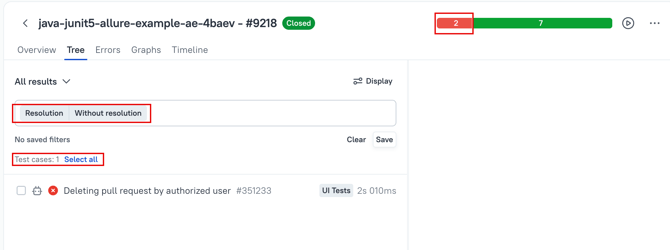
Failed testswithout resolution can be filtered by a filter Resolution > Without resolution.
In the image below there are 2 failed tests, but one of these is already resolved.
Resolving the failures
When the triage/analysis is complete, you have the following options to resolve the failed test results- Rerun
- Mute
- Link a defect
Rerun
Rerun allows you to execute tests again on the CI side or manually. When an automated test is re-run manually, it becomes impossible to re-run it again on the CI side within the same launch, as this is treated as ultimate trust in the test result produced manually.
Select test results, and then select action.
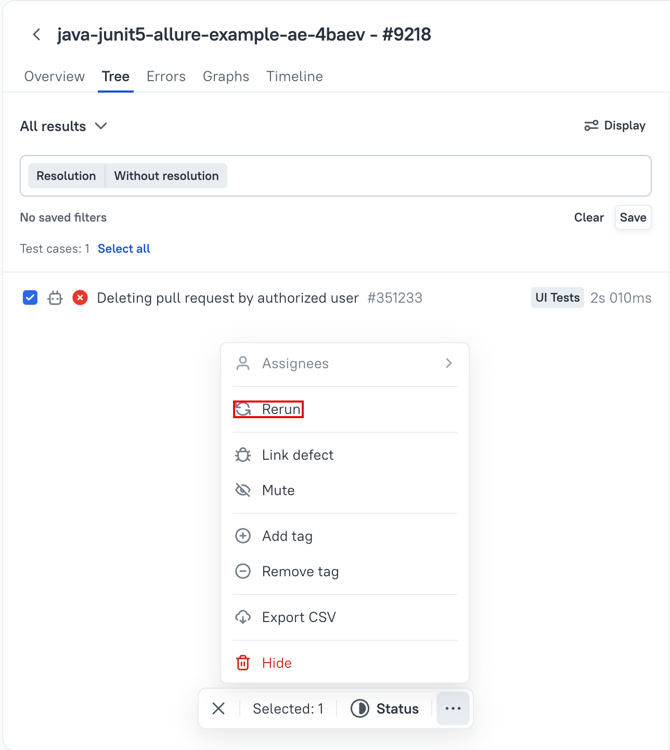
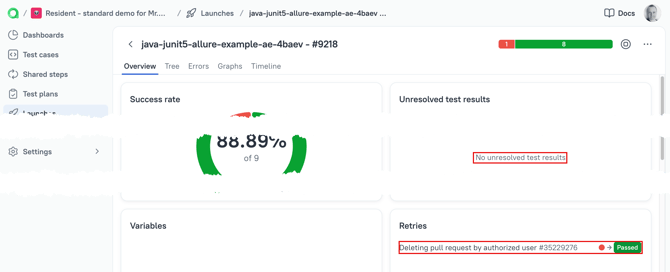
If the result of are-run becomes greenm (successfully passed), then such test result will be removed from the Unresolved test results section, the fact of re-run will be logged in Retries widget of the Launch's overview.
Mute
A Mute attribute allows you to ignore the failure (like a quarantine) in consecutive launches until you remove Mute from the linked test case. Mute hides the failure from the overview, marks the failure as resolved, and prevents the test result status from being used in statistics.
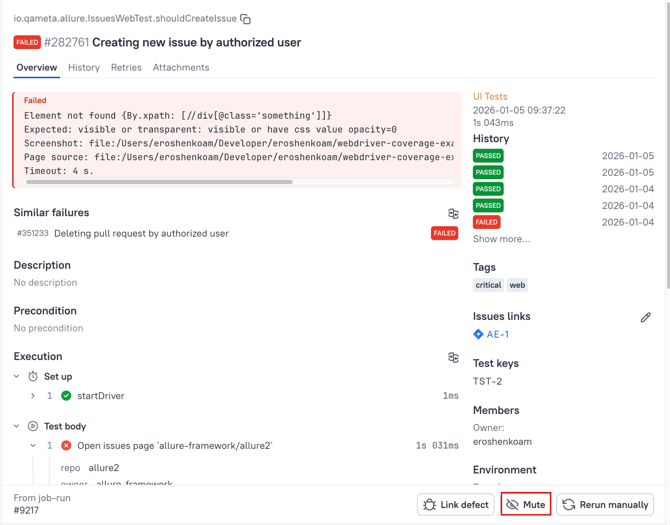
You canprovide the describption of the reason the test result (and related test case) was Muted.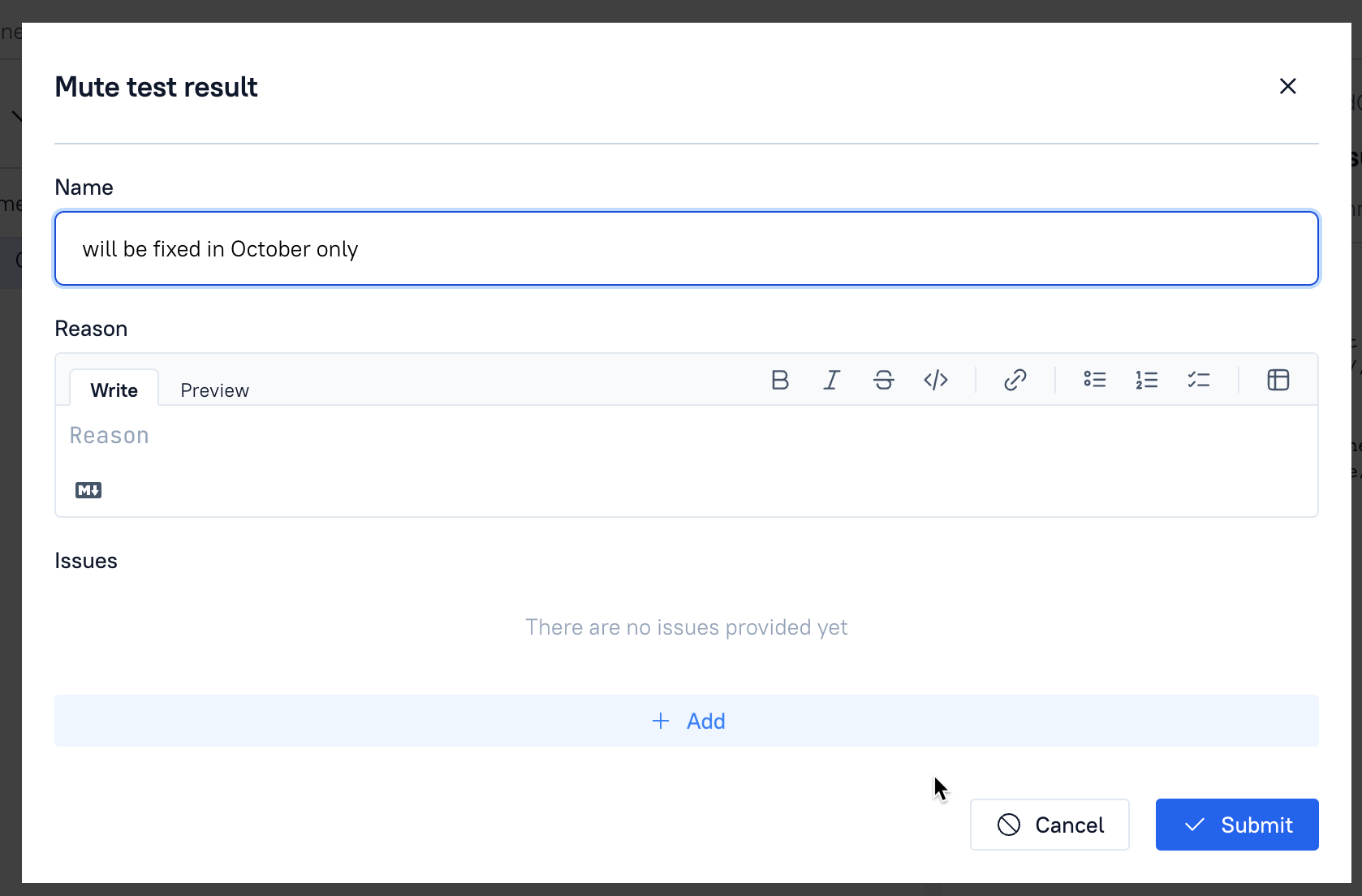 And muted test will be
- Removed from the stats
- Marked as resolved
- Marked as Muted
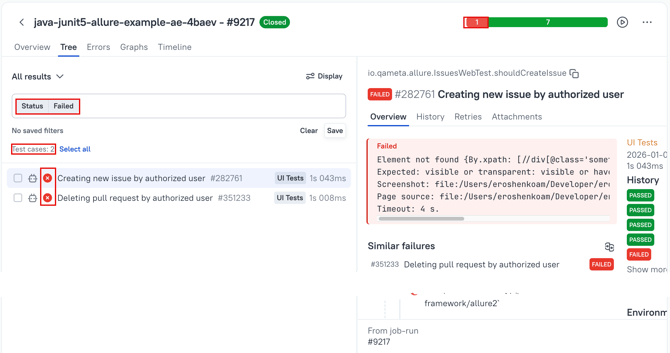
Marked as resolved and marked as Muted
Defect
- you have analysed the cause of a failure,
- you understood what to blame
- you are actually taking the action.
- Is removed from the unresolved test results (no need to triage/analyse anything)
- Linked to a defect and is moved to Defects section.