
How to restore deleted test cases
Good news! In the scope of a project, the test cases aren't deleted. They are marked as deleted, then they are hidden from the lists but remain in the system to maintain correct relations in the database.
If you delete a project, then such an action will be irreversible and all the test cases of a deleted project will be deleted as well.
Manual test cases
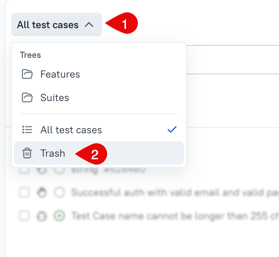
To get the list of deleted test cases you need to swith the tree view of the test cases list.
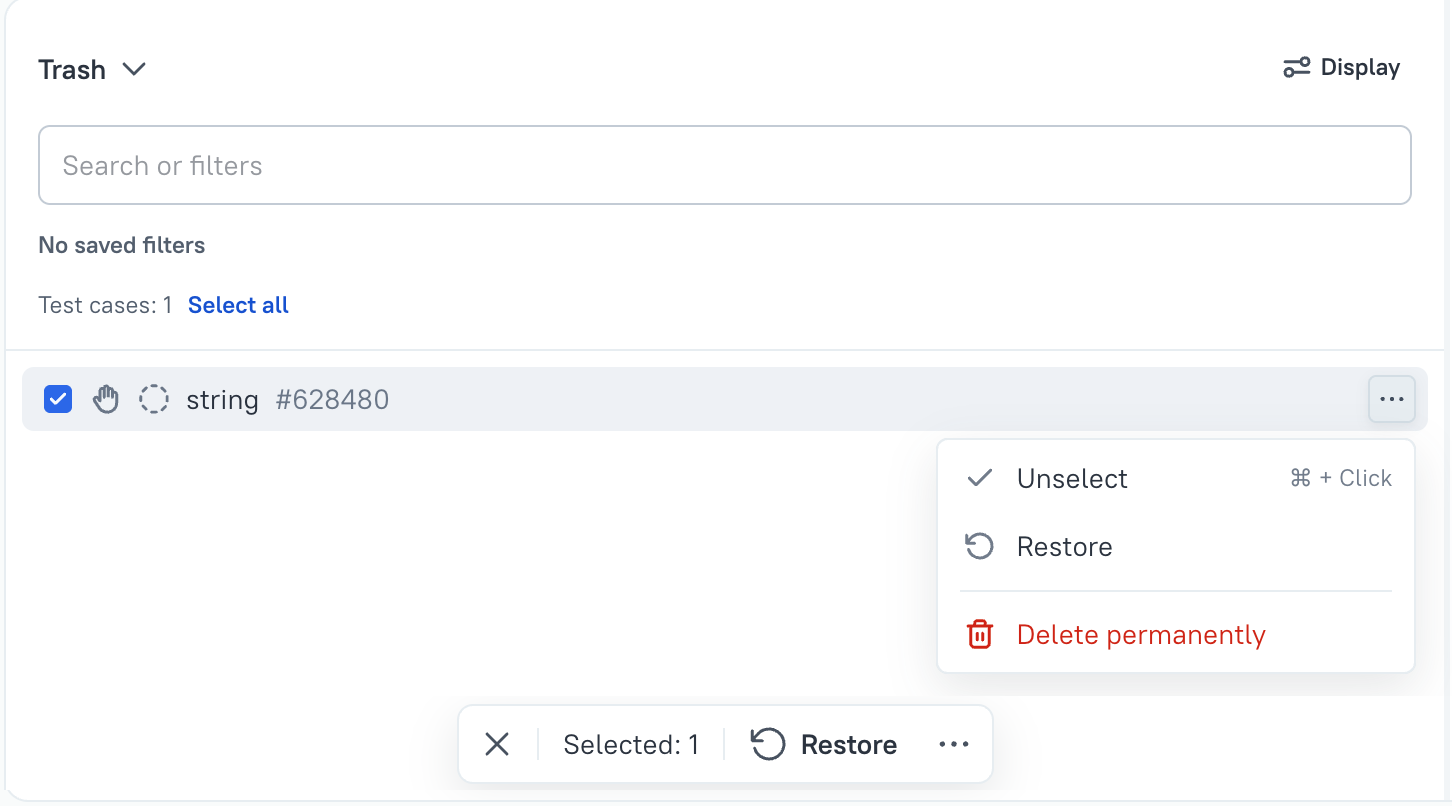
Then, in the list of deleted test cases, you can either use a single test case menu, or select test cases you'd like to restore and use action menu at the bottom of the list.
Automated test cases
Generally, there is no need to restore automated test cases. As soon as you uploaded new test results and closed created launch, automated test cases marked as deleted will be restored by the system. But yes, automated test cases marked as deleted can be restored the same way as manual onesю